You can view Instagram stories without an account by using a web-based story viewer that loads public profiles for you. Type a username, open the Stories tab, and watch. No sign-up, no app, no password. The one firm limit: this only works for public accounts, because private stories are locked to approved followers.
Below is what Instagram itself lets you see when you are logged out, why stories are usually off-limits there, and a simple step-by-step way to view Instagram stories without an account on any phone or computer.
Why you might want to skip the login
Plenty of people have good reasons to watch stories without signing in. Some never created an Instagram account and do not want one. Others have an account but would rather keep their browsing separate from it.
- No account at all. You want to check a local shop's daily specials, a band's tour updates, or a news account's coverage without joining the platform.
- Privacy. A logged-in view adds your name to the story's viewer list. A logged-out view does not.
- A shared or work device. You do not want to leave your Instagram session signed in on a computer other people use.
- Less distraction. Without the feed, suggestions and notifications, you see the one thing you came for and leave.
What logged-out Instagram shows in 2026
If you visit instagram.com without signing in, Instagram shows a limited preview of a public profile: usually the name, bio, profile picture and some recent posts. Scroll for a bit, or tap into a few items, and a login prompt tends to cover the page.
Stories are the most restricted part. The story ring may be visible, but tapping it typically sends you to a sign-in screen rather than playing the story. Highlights behave the same way in most cases. Instagram changes these rules from time to time, so what you see can vary by device and region, but the general direction has been toward requiring a login for anything beyond a quick glance.
The mobile app is stricter still. It will not show you anything meaningful until you log in or create an account.

How to view Instagram stories without an account, step by step
A story viewer like InstaStory fetches public story content and shows it to you in a normal web page. It never asks for your Instagram details and never logs in as you. Here is the full process:
- Open instastory.app in Safari, Chrome, Firefox or any other browser.
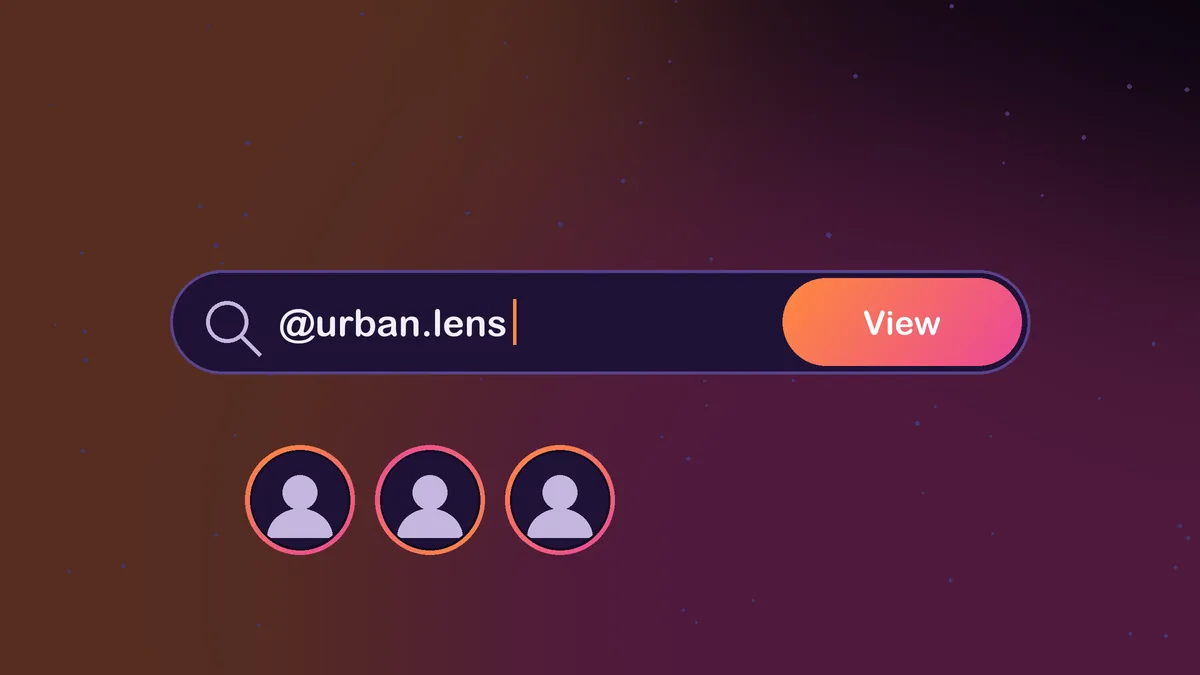
- Type the person's @username, or paste the link to their profile, into the search box.
- Press search. If the account is public, the profile loads with its picture, name and tabs.
- Open the Stories tab to see everything posted in the last 24 hours. Tap any item to play it.
- Switch to Highlights for older stories the owner chose to keep, or to Posts and Reels for the main feed.
- If you want a copy, tap the download button on the item. Videos save as MP4 and photos as JPG.
That is the whole method. There is nothing to install, and you can close the tab when you are done. InstaStory does not keep a record of the profiles you look up.
On iPhone
Use Safari or Chrome. When you download a story, iOS asks whether to view or download the file. Downloaded items land in the Files app, under Downloads, and from there you can save a video or image to Photos with the share button.
On Android
Chrome works well. Downloads go to your Downloads folder and usually show up in your gallery app automatically.
On a PC or Mac
Any modern browser works. A bigger screen is handy for reading text-heavy stories or watching longer highlight reels. Files save to your usual Downloads folder.
Seeing more than just stories
Once a profile loads, you are not limited to the last 24 hours. The Highlights tab holds stories the owner pinned to their profile, which is the only way anyone other than the owner can see older stories. Our guide to seeing old Instagram stories explains how that works in more detail.
If you mainly want highlights, the dedicated Instagram highlights viewer page goes straight to them. And if you only need a clear look at someone's profile photo, the profile picture downloader shows it in full size instead of the tiny circle Instagram displays.
InstaStory also lists accounts that are tagged or @mentioned inside a story, with links to each one. That is useful when a story credits a photographer, a shop or a friend and you want to find them.
The limits you should know about
Viewing without an account is handy, but it is not magic. Being upfront about the limits saves you from wasting time on sites that overpromise.
- Private accounts are off-limits. If a profile is private, only its approved followers can see its stories. No honest tool can get around that, and sites that claim they can are a red flag.
- Close Friends stories are hidden. These only go to people the owner picked, so they never appear in a public view.
- Expired stories are gone. After 24 hours a story disappears unless the owner saved it to Highlights. A viewer cannot bring back something the owner removed.
- No interaction. Without an account you cannot reply, react, vote in polls or send DMs. You are only watching.
- Occasional delays. If Instagram is slow or a profile was just changed, a story may take a moment to appear. Trying again a little later usually helps.
Will the person know you watched?
No. Instagram builds the story viewer list from logged-in accounts. When you watch through a tool that never signs in, there is no account to record, so your view does not appear. We go deeper on this in can someone see if you view their Instagram story.
Keep in mind that downloading or reposting someone's content is a separate matter. Saving a story for your own reference is one thing. Reposting it as your own or using it to harass someone is not okay, and it may break copyright rules.
Is it safe to use a story viewer?
A trustworthy viewer is simple: it asks for a username and nothing else. Be wary of any site that wants your Instagram password, pushes you to install an app, makes you complete a survey before showing results, or promises access to private profiles. Those are signs the site is after your data, not offering a real service.
Wrapping up
To view Instagram stories without an account, skip the login wall and use a browser-based viewer for public profiles. Enter the username, open Stories, and watch or download what you need. Respect the line between public and private, and you will have a quick, low-hassle way to keep up with the accounts you care about.
Frequently asked questions
Can I watch Instagram stories without signing up?
Yes, for public accounts. Open InstaStory, enter the username, and the Stories tab shows everything from the last 24 hours. No account is needed.
Why does Instagram ask me to log in when I tap a story?
Instagram restricts stories for logged-out visitors and usually redirects you to a sign-in page. A web viewer loads the public story for you instead.
Can I see private stories without an account?
No. Private stories are only shown to approved followers. Any site claiming to unlock them should not be trusted.
Does this work on iPhone?
Yes. It runs in Safari or Chrome on iPhone, and downloaded files can be saved to the Files app or to Photos.
Do I need to install anything?
No. Everything runs in your browser, on phones and computers alike.